
Tips for Playing Discovering Buddhism Videos within each Module
Each Discovering Buddhism course has a segment of the Discovering Buddhism DVD for that module. Each of ...
Tips for Playing Discovering Buddhism Videos within each Module
Each Discovering Buddhism course has a segment of the Discovering Buddhism DVD for that module. Each of these videos is approx 26 minutes long and is streamed within the course using Flash.
These videos are located under the Introductory session of each course. In order to play these videos you need to open this introductory session and click on the video to play.
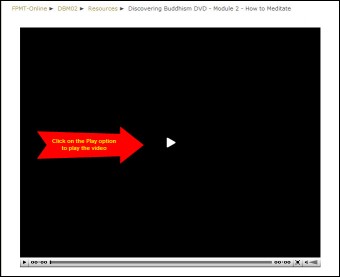
Technical Requirements for Playing the Video
You will need to have Adobe Flash installed on your computer to play this video. You can install Adobe Flash from the following website: http://get.adobe.com/flashplayer/otherversions/
If you do not have Flash installed, you will not see the option to play the video above.
It is possible to check which version of Flash you are using by opening the following website: http://kb.adobe.com/selfservice/viewContent.do?externalId=tn_15507
Tip for Vista users: If you are using Vista and upgrade your Flash version please see the following webpage if you experience difficulties after this upgrade: http://kb.adobe.com/selfservice/viewContent.do?externalId=tn_19166
Tip for Playing the video with a slow internet connection
The video works best with a fast internet connection as the video is streamed as it is played. If you find that the video is slow to load and play or pauses during play (as it loads new data) then a good tip is to pause the video until it loads and then watch the video.
